Screen Recording & DemosVideo Editors
Screen Studio
macOS screen recorder
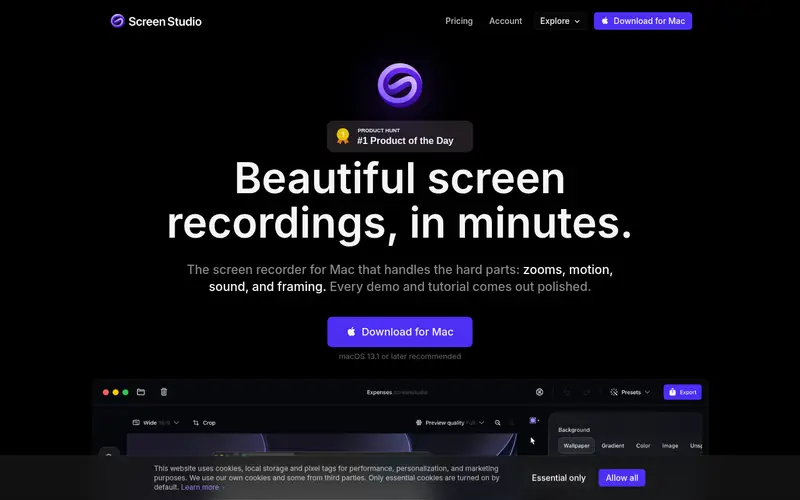
Screen Studio is a macOS screen recorder for making product demos, courses, tutorials, walkthroughs, presentations, explanatory videos and social posts, with automatic zooms, smooth cursor motion, captions and framing.
- Pricing
- Subscription
- From
- $9/month
- Free plan
- No
- Free trial
- Not stated
Visit screen.studio Alternatives
From screen.studio and its pricing page, checked 2026-11-18. “Not stated” = the site didn't say.
What it does
- Auto CaptionsAdds subtitles or animated captions automatically.
- Auto Resize & ReframeResizes video between aspect ratios (16:9, 9:16, 1:1), keeping the subject in frame.
- 4K ExportExports video in 4K resolution.
- Background RemovalRemoves or replaces a video background without a green screen.
Pricing
- Model
- Subscription
- Starting price
- $9/month
- Free plan
- No
- Free trial
- Not stated
Source: screen.studio/pricing (2026-11-18). Prices change; check the site before buying.
Platforms & integrations
- Platforms
- macOS
Questions
How much does Screen Studio cost?
Pricing model: subscription. Paid use starts at $9/month, as listed on screen.studio when we checked (2026-11-18).
Does Screen Studio have a free plan or free trial?
No free plan was listed on screen.studio when we checked.
Where can I use Screen Studio?
Screen Studio lists: macOS.
What are alternatives to Screen Studio?
Similar listings in this directory: FlexClip, Kapwing, Descript, Magic Hour AI, Pictory.